
Creating online content can always be quite hard when you feel you don’t have the right programmes and technology knowledge to understand what you’re doing or where to start. Creating your own social media content and advertisements can be so much easier and cheaper then hiring a company to design them. As long as you have an understanding of what you want your branding to look like and what matches your businesses aesthetic and theme, you will be able to create beautiful content right from your own laptop. In this blog post I will guide you through some of the best online websites that will allow you to create your very own social media content!
Making sure your social media profiles and posts stand out is key in the new age of social media and online presences, as its easy to blend into the advertisement word on platforms like Instagram and Facebook. By using these websites you will soon enough be creating stand out content that represents your brand.
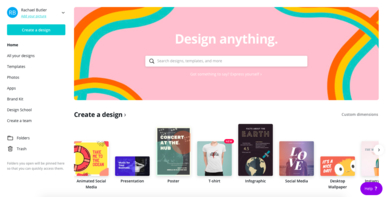
To begin with I will start with my personal favourite, Canva, which I started using when I began my social media job at the restaurant I work at, as it was so easy for me to create exactly what I wanted to match the branding o the restaurant.
On Canva there are so many different things you’re able to create so many different things including:
- Animated social media posts
- Presentations
- Posters
- Infographics
- Logos
- Facebook Covers
- Flyers
- Certificates
And so much more, allowing you to design to your hearts content. It’s so simple to use and makes your posts more personal if you’re creating them for your own business.
Another part of Canva that can be extremely helpful is the ‘Brand Kit’. This allows you to set certain colours and fonts that will appear every time you create something, making it so much easier to be sure that every time you create something all the colours will match up. This is useful when wanting to create a uniform social media platform, as it makes the account look more professional.
There’s also a part of the site called ‘Design School’ which is great for beginners as it teaches you how to use all the different features in the simplest form. Although most of it easy to use without instructions, it is nice to have the reassurance that there is help if it is needed.
Another website that is very similar to Canva, is Crello. This is almost identical to Canva, however slightly different, which may mean it could be suited more to what you want to use it for based on the design of the website and the variations of features. Although from the 2, Canva is the most popular for independent people.
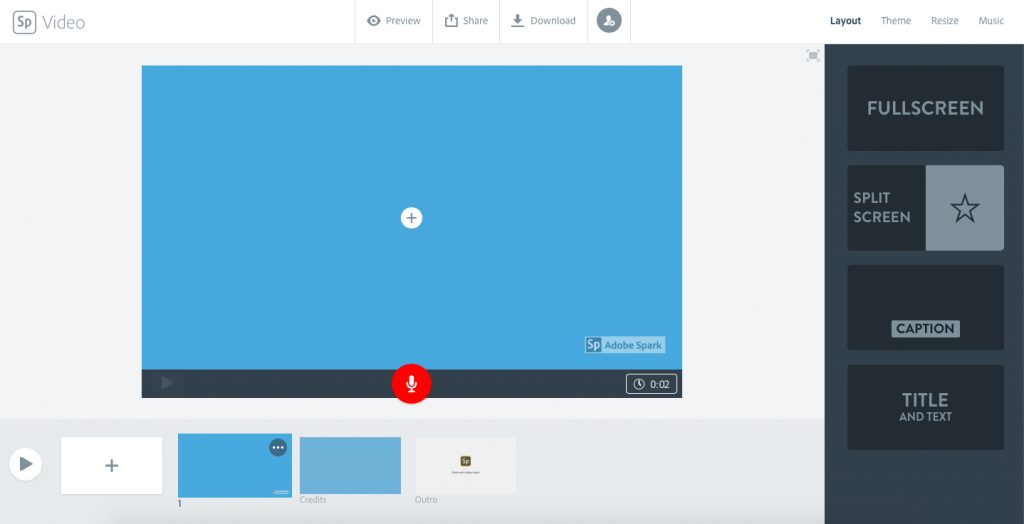
Spark is a website that has been designed to allow you to create graphics, web sites and videos quickly, all from one place. The key element of Adobe Spark which makes it different to the other two is the video editing. The features it has for videos makes it incredibly easy to create short videos that can be used to advertise your business when posted on social media. You can add photos, videos and music to create the perfect video that captures your brand, by making them squared or Fullscreen also means you’re able to tailor it for each of your social media platforms, as Instagram would be easier with a squared video. The only downfall to Spark is to get the most out of it you have to pay for a subscription which can be up to £20 a month for a group plan. This allows you to use all the features it provides as there’s less on the free versions in comparison to Canva.
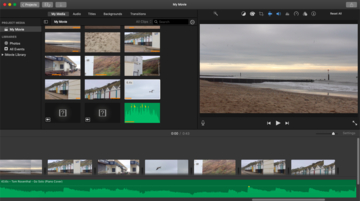
If you don’t want to use an online website to create videos and you use Apple products, using iMovie is an easy way to create small videos which you can use to post on YouTube or other platforms you use to advertise your company. The app is free, making it accessible for those people on a budget, making it the perfect software to use. Navigating your way around it is additionally really easy and simple to use, which is perfect for those starting off with no experience. There aren’t as many options as other video editing sites, like Final Cut pro, which you might want to use once you’ve got the hang of iMovie and have money to spend on getting more features, however you’re able to still create beautiful videos to go alongside your social media content, helping boost some engagement online. There are also a collection of help videos that can easily be found on YouTube and other peoples blogs which will help when its needed.
Hopefully giving you some direction in creating social media content, will help in boosting your profiles and generating interactions. Making a brand and an aesthetic for your company is so important in making your profile stand out, so I hope this blog post has helped to do just that.
New blog post next week so stay tuned!
-R